Accessibility links
  • Skip to main content
News Icon NEWS FILTER
All News Scams & Phishing Your Security Mobile Security Identity Theft Corporate Security Security Education Videos
Search Icon SEARCH
 

Email Icon SUBSCRIBE TO WEEKLY NEWSLETTER
These Companies May Try to Phish You
Facebook   X   LinkedIn   Email

These Companies May Try to Phish You

April 5, 2026

Every year, one of the cybersecurity companies in the world releases a report of the most impersonated firms used in phishing attacks. Unsurprisingly and typically, many of those companies are technology firms. Check Point released their report on this topic and it’s unlikely anyone will be surprised to see the results.

There are any number of phishing emails or texts spoofing the global job search engine, Indeed, claiming you’re a “perfect fit” for some role that you’d never even considered before. Then there’s the one spoofing a payment card company from which you don’t even have a card. This year, the top 10 remain mostly technology companies.

The list goes like this:

Microsoft —22%

Google—13%

Amazon — 9%

Apple — 8%

Meta — 3%

PayPal, Adobe, Booking, and LinkedIn— 2%

The lone non-tech dominant company on the list is the shipping company DHL with 1%.

You should always be on alert when a text or email from these companies comes through, they certainly are not the only ones that are spoofed for the purposes of stealing credentials, money, or identities. Keep in mind the anti-phishing tips that should be pulled out of the cabinet from time to time.

Is the message, link, or attachment expected? If not, don’t click on anything or use contact details inside the message. Navigate independently to the website or find the phone number yourself and call.

Does the message look professional? If there are typos, incorrect grammar, punctuation errors, be suspicious.

Did you place an order or interact with the company recently? If not, well, it’s most likely phishing.

Always make sure your passwords are strong and include a combo of upper and lower case letters, numbers, special characters, and are not dictionary words. Keep them safe and never share them. Also, be sure to enable multi-factor authentication for your accounts whenever it’s available.

Just taking a moment to consider whether the message is legitimate or not, may save you from a lot of stress. If something is so important that you can’t take a beat to think about it, it is most likely going to come by way of a phone call and not a message you may not see for a while.


Watch Out For Scammers Pretending To Be FDIC Or OIG Officials

Scams & Phishing

Watch Out For Scammers Pretending To Be FDIC Or OIG Officials

Scammers are increasingly pretending to be officials from the Federal Deposit Insurance Corporation (FDIC) or the FDIC Office of Inspector General (OIG). Reaching you by phone, email, text, or even via social media and demanding money or personal information. According to an alert from the FDIC OIG, these impersonation scams often use official-sounding names, real official-looking seals or logos, and urgent or threatening language to seem legitimate. READ FULL STORY

Amazon Text Scam Recalls Your Login Credentials

Mobile Security

Amazon Text Scam Recalls Your Login Credentials

Amazon shoppers are being targeted by a phishing scam posing as a product recall alert. Instead of claiming you'll be charged, the message promises a refund and urges the buyer to click a link to apply to get the money back. However, as you can probably guess, it’s designed to steal your login credentials, which may get the phisher to your payment methods too. Read on to find out how this clever Amazon Recall scam works and what steps to take if you receive one of these messages. READ FULL STORY

Hi, It’s Not Me: It's a 148% Rise in Impersonation Scams

Scams & Phishing

Hi, It’s Not Me: It's a 148% Rise in Impersonation Scams

Impersonation scams have exploded—and we’re not talking about your buddy doing a bad Elvis impression. According to the Identity Theft Resource Center’s latest 2025 Trends in Identity report, these scams have shot up a whopping 148% and are now the most-reported identity crime. The scammers? They’re posing as banks, tech support reps, and even your own family. The scary part? They’re convincing—way too convincing. Sadly, there is no shortage of examples of these. READ FULL STORY

Email Warnings No Longer Guarantee Messages Are From Within

Corporate Security

Email Warnings No Longer Guarantee Messages Are From Within

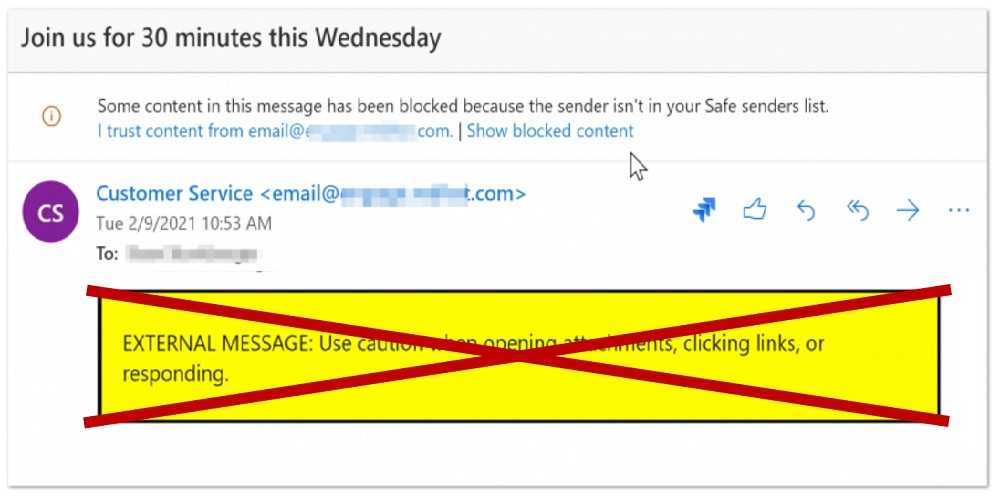
You may have seen this warning, or something like it, at the end of email messages: “CAUTION: This email originated from outside of the organization.” Such an alert intends to let you know that the message you are receiving is not coming from a colleague with an email address from within your organization. It’s supposed to serve as a warning that something in the message just may be trying to phish you. Now, those rascally rabbit cybercriminals have figured out a way to get rid of it. READ FULL STORY

Apple Sounds Alarm to Update for 800 Million Users

Mobile Security

Apple Sounds Alarm to Update for 800 Million Users

Apple has just sounded the alarm to more than 800 million iPhone users worldwide, urging immediate action after discovering a critical security flaw that’s already being manipulated by hackers in real-world attacks. All iPhones capable of running recent iOS versions, including iPhone XS and later models, are vulnerable if they aren’t updated. Older devices that can’t run the newest software are also at risk unless updated to the latest supported version Apple offers. READ FULL STORY


Close
Fraud News & Alerts!

Keep up with the latest cyber security news through our weekly Fraud News & Alerts updates. Each week you will receive an email containing the latest cyber security news, tips and breach notifications.


You're all set!

You will receive your first official security update email within the next week.

A welcome email has also just been sent to you. If you do not receive this email within the next few minutes, please check your Junk box or spam filter to confirm our emails are not being blocked.


Help  
Enter any word or words you like.        

The email newsletter will arrive from news@stickleyonsecurity.com


Loading
Please wait...