Accessibility links
  • Skip to main content
News Icon NEWS FILTER
All News Scams & Phishing Your Security Mobile Security Identity Theft Corporate Security Security Education Videos
Search Icon SEARCH
 

Email Icon SUBSCRIBE TO WEEKLY NEWSLETTER
Don't Google Your Way Into Being Hacked
Facebook   X   LinkedIn   Email

Don't Google Your Way Into Being Hacked

February 11, 2025

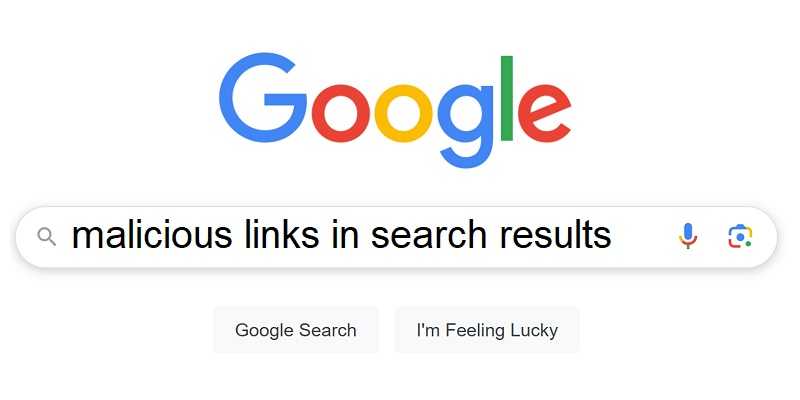
Just when you thought it was safe to Google, it turns out that some search terms can get you hacked. Called “SEO poisoning,” hackers have found ways to turn your Google searches into helping them, and that’s never a good thing.

SEO Poisoning

Hackers are ready and waiting for users to Google popular search terms. They’ve already created websites, some known as “lookalikes,” designed to appear at the top of Google searches. That leads us to assume they’re legitimate. In other words, the SEO (search engine optimization) has been compromised, or poisoned. Those websites install malware, steal your PII, hold your data for ransom, and otherwise unleash cybercriminal mayhem with your unsuspecting help. So, don’t trust top search results until you vet them.

Search Term Danger

We already heard of the “Bengal Cat in Australia” attack from not long ago. Well searching for free apps, including for “Google Authenticator” app can also be a hacker setup and leads to what’s called “sideloading.” Most of these apps are available on the official app stores, and downloading outside of them is never advised. Unofficial app stores sometimes don’t scan for malware as often or as thoroughly before making them available. That means hackers are free to infect apps with malware, and that leads to big trouble.

Taking advantage of users needing help with finances is another poisoned popular search. Whether it’s a loan, a lucrative job offer, or otherwise promising financial assistance are hacker favorites. The search results are setups designed to steal not only PII, but also whatever finances we have still have.

Malvertising, or what’s known as scam ads that install malware or bring us to bogus websites when we click on them, lure a great many users. Those ads seeming to be too good to be true, probably are. To be sure, lookup the legitimate phone number for the seller before you call. But beware, scammer’s provide numbers to call centers ready for your call, so only use legitimately sourced phone numbers.

It seems like it’s a jungle out there when even Google searches are compromised. So, stay one step ahead of the bad guys on your next search, you’ll be glad you did.


Overlays For Androids For Criminal Convenience

Mobile Security

Overlays For Androids For Criminal Convenience

Android Overlays are a powerful feature in the Android operating system. Theses allow apps to display content over other apps or over the system user interfaces. Ultimately this results in the user experience being more, well, user-friendly. So why is it important? This is useful in many ways, such as for displaying persistent notifications, those cheeky Android chat heads that float around the screen, or for using accessibility features. But those handy capabilities can also be misused by cybercriminals to create deceptive interfaces, tricking you. READ FULL STORY

Hackers Flush Out Users’ Google Credentials

Your Security

Hackers Flush Out Users’ Google Credentials

Hackers have begun employing a new annoyance technique to steal Google account passwords. This tactic, called credential flushing, relies on getting malware onto a device that locks the system into “kiosk mode.” In this mode, users are prevented from doing anything else without providing their account credentials. Once the victim provides them, hackers can log into the victim’s Google account and steal personal information or further compromise their online security. READ FULL STORY

Gmail Tech Support Exposes New Threats From AI

Your Security

Gmail Tech Support Exposes New Threats From AI

A significant cybersecurity breach involving Gmail raised alarms across the tech community late in 2024. Hackers leveraged advanced AI techniques to create a sophisticated scheme involving account recovery phishing emails that were nearly indistinguishable from legitimate communications. And, to make it even more believable, they were followed up with a phone call from a “Gmail tech support person,” throwing everyone a phishing curveball. READ FULL STORY

Users Get Tricked Into Falsely Updating Google Services

Mobile Security

Users Get Tricked Into Falsely Updating Google Services

The TrickMo Android banking trojan has re-emerged in a new form, disguised as a fake Google Chrome app for Android. Once installed, this malicious app prompts users to update Google Play Services, tricking them into downloading TrickMo under the guise of "Google Services." By doing so, it gains access to critical permissions, including those for the device's accessibility settings, which it then exploits to perform various malicious activities. READ FULL STORY

Your Data For Sale On The Dark Web And What You Can Do About It

Identity Theft

Your Data For Sale On The Dark Web And What You Can Do About It

As much as we love the convenience of our digital world, we know a hefty price tag can come with it. The world is full of bad actors whose goal is to get their hands on our sensitive, personally identifiable information, or PII. Should you find your PII is for sale on the dark web, it helps to know there are options for doing something about it, even if you think it’s too late. Just some of that hijacked PII can include passwords, email and physical addresses, Social Security numbers, financial accounts, and much more. READ FULL STORY


Close
Fraud News & Alerts!

Keep up with the latest cyber security news through our weekly Fraud News & Alerts updates. Each week you will receive an email containing the latest cyber security news, tips and breach notifications.


You're all set!

You will receive your first official security update email within the next week.

A welcome email has also just been sent to you. If you do not receive this email within the next few minutes, please check your Junk box or spam filter to confirm our emails are not being blocked.


Help  
Enter any word or words you like.        

The email newsletter will arrive from news@stickleyonsecurity.com


Loading
Please wait...