Accessibility links
  • Skip to main content
News Icon NEWS FILTER
All News Scams & Phishing Your Security Mobile Security Identity Theft Corporate Security Security Education Videos
Search Icon SEARCH
 

Email Icon SUBSCRIBE TO WEEKLY NEWSLETTER
Avoiding Popup Pain from Malicious Chrome Extensions
Facebook   X   LinkedIn   Email

Avoiding Popup Pain from Malicious Chrome Extensions

August 23, 2025

There are highly malicious browser extensions making the rounds and affecting Google Chrome and its users. Researchers at SquareX found just one click on these extensions lets cybercriminals clean out password managers, banking info, crypto wallets, and other sensitive data. Until Google protects against this latest hack, it’s every user’s responsibility to protect themselves.

According to SquareX, a vulnerability in the way Chrome is built allows this particular hack to thrive.

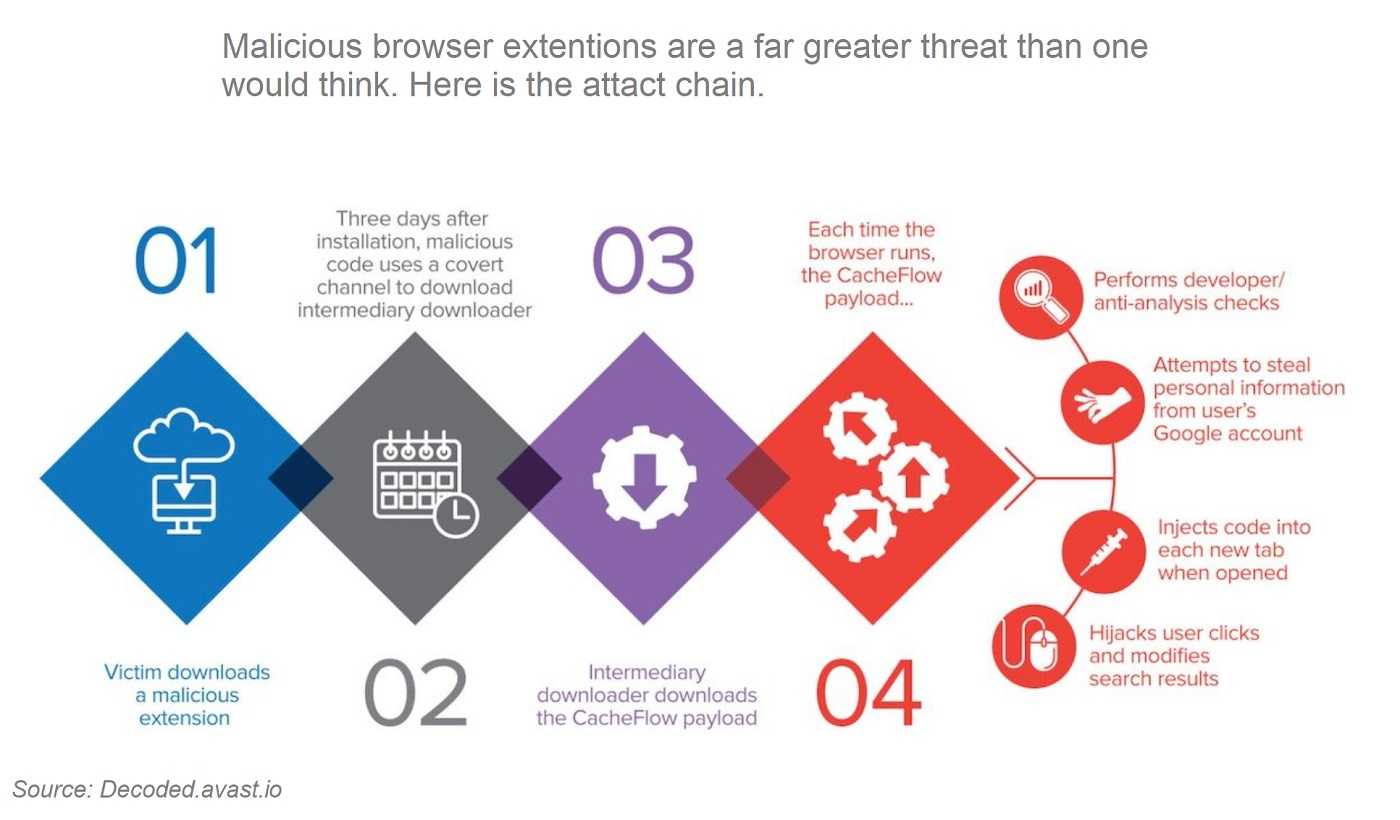
With the help of AI, browser extensions are more vulnerable to cybercrime than ever before, and this latest hack is a great example of that. It’s crazy sneaky the way AI helps this killer extension get beyond Chrome’s malware scanning and mask itself as legitimate. An unsuspecting Chrome user downloads what they believe is a useful extension. The extension works exactly as expected, that is, until it takes a criminal turn.
Behind the Masked Extensions

An extension that changes form, in this case with a single click, is called “polymorphous.” That’s what’s behind Chrome extensions looking and functioning legitimately before turning malicious. Once a victim chooses an extension, provides their credentials and clicks on the popup, the masked extension gets to work. It steals every bit of PII stored in a victim’s account and can even help a hacker send phishing emails using your contacts. And like much of cybercrime today, victims are none-the-wiser until it’s too late.

Since these masked extensions aren’t limited to Chrome alone and can’t be fixed with a patch, security experts suggest not using browser extensions until this vulnerability is corrected. In fact, it’s best to avoid browser extensions as much as possible. Take some time to review the ones on your browsers. If you aren’t using them, delete them completely.


Fake Update Ads Steal Your Passwords

Scams & Phishing

Fake Update Ads Steal Your Passwords

We know the cyber-cheats are always out there using every trick in the book to steal our money, identities and whatever else they can get their hands on. So, the next time you’re alerted to a software update, especially one appearing in an online ad, it’s time to step back and take a closer look before tapping “Download.” A latest malvertising campaign lures users into downloading a fake software update. The now custom, improved malware is being used at this very moment and surely will continue doing damage well into the new year. READ FULL STORY

Ways To See If Your Data Has Been Stolen

Education

Ways To See If Your Data Has Been Stolen

With all the data breaches, whether by intrusion or accident lately, it’s likely your information was exposed somehow to someone you didn’t intend. After all, the marketing company Exactis, exposed hundreds of traits on us in 350 million records. Yahoo let out email addresses and passwords on billions of people, and of course who can forget the massive breach of Equifax just last year. There is a lot of information that gets leaked on us and the more the bad actors have on us, the more targeted their phishing campaigns can be. Checking on whether or not your data is available in the underground can help you mitigate any fraud or identity theft. READ FULL STORY

Slow Browser? It May Have Been Hijacked By Malware

Your Security

Slow Browser? It May Have Been Hijacked By Malware

Before calling your internet provider to complain about a slow browser think about this:  It’s no secret malware loves to hide in all kinds of things like adware, spyware, scareware, and fake browser updates. Finding your browser is not only slow, but also acting strangely is a sign something isn’t quite right. If after going through the internet provider's standard toolbox for troubleshooting doesn't help, it’s time to think about malware. READ FULL STORY

 Storing Passwords In Your Browser…It’s Convenient, BUT Very Risky Too

Your Security

Storing Passwords In Your Browser…It’s Convenient, BUT Very Risky Too

Most of us know that password fatigue can lead to security mishaps and that creating a safe and secure entrance into our personal or work accounts can be a real challenge. Fortunately, security experts also know that safe password use has long been a problem, one that can lead to epic malware infections like ransomware, banking trojans, and more. Popular browsers like Chrome, Firefox, Safari, and Opera offer the option to store passwords for you, but hackers using the malware “RedLine Stealer” can hijack those stored passwords in a heartbeat. READ FULL STORY

Keeping Your Information More Private and Out of the Hands of Attackers

Identity Theft

Keeping Your Information More Private and Out of the Hands of Attackers

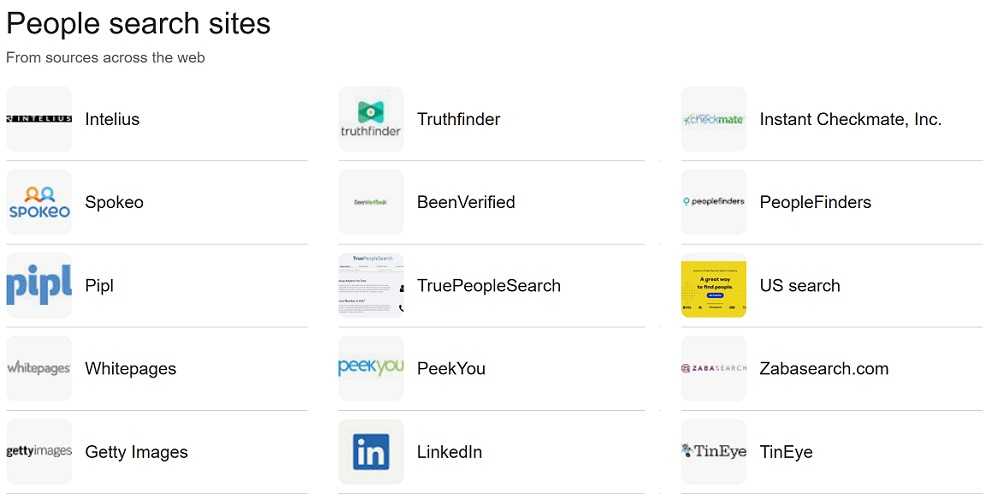
It’s no secret, especially after the recent revelation of the NPD breach, that our information is everywhere online. This is true whether we intentionally allowed it or not. There are numerous websites that collect information about us and post it online. Many are “people search” sites. If you’ve ever looked up an unfamiliar phone number, some of these likely showed up. Well-known lookup sites have all kinds of information on all of us. The challenge is to keep this information from making you a victim of a phishing attack or identity theft. READ FULL STORY


Close
Fraud News & Alerts!

Keep up with the latest cyber security news through our weekly Fraud News & Alerts updates. Each week you will receive an email containing the latest cyber security news, tips and breach notifications.


You're all set!

You will receive your first official security update email within the next week.

A welcome email has also just been sent to you. If you do not receive this email within the next few minutes, please check your Junk box or spam filter to confirm our emails are not being blocked.


Help  
Enter any word or words you like.        

The email newsletter will arrive from news@stickleyonsecurity.com


Loading
Please wait...