Accessibility links
  • Skip to main content
News Icon NEWS FILTER
All News Scams & Phishing Your Security Mobile Security Identity Theft Corporate Security Security Education Videos
Search Icon SEARCH
 

Email Icon SUBSCRIBE TO WEEKLY NEWSLETTER
Got a Shiny New Connected Gadget? Do These Safety Steps First
Facebook   X   LinkedIn   Email

Got a Shiny New Connected Gadget? Do These Safety Steps First

December 31, 2025

If you unwrapped a brand-new internet-connected device this holiday season, you’re not alone. Smart gadgets, tablets, gaming systems, and home devices are hotter than ever—but before you dive in and start exploring, there are a few must-do safety steps to keep cybercrooks out of your digital space. Even if you’ve already set it up, it’s worth double-checking that you didn’t miss anything.

Change the Admin Password Immediately

The very first step—before apps, photos, or playing around—is changing the default administrator password. Criminals know the factory passwords for most devices because they’re easy to find online. Leaving it unchanged is like leaving your front door wide open.
Follow strong password basics:

  • At least eight characters
  • Mixed upper/lowercase letters
  • At least one number and one special character
  • No personal info (birthdays, pet names, etc.)
  • Avoid real dictionary words

These rules help protect you from brute-force attacks that can crack weak or predictable passwords in seconds.

Install All Available Updates

Devices often sit in warehouses long before they reach your hands. That means security patches may already exist. Head to the manufacturer’s app or website and install any software or firmware updates right away. This closes vulnerabilities before you start using the device.

Secure It From Physical Access

If your gift is a mobile device, set a lock screen PIN or password immediately and choose the shortest auto-lock time available. Even a quick moment of distraction in a public place—like setting it down at a café—could give someone the chance to snoop or steal it along with a lot of personal, and very valuable data.

Protect It From Remote Threats

Only download apps from official stores like the Apple App Store or Google Play. Unofficial sites often hide malware behind flashy “free” downloads. Add reputable security software to help block malware and phishing attacks.

Stay Alert for Phishing Lures

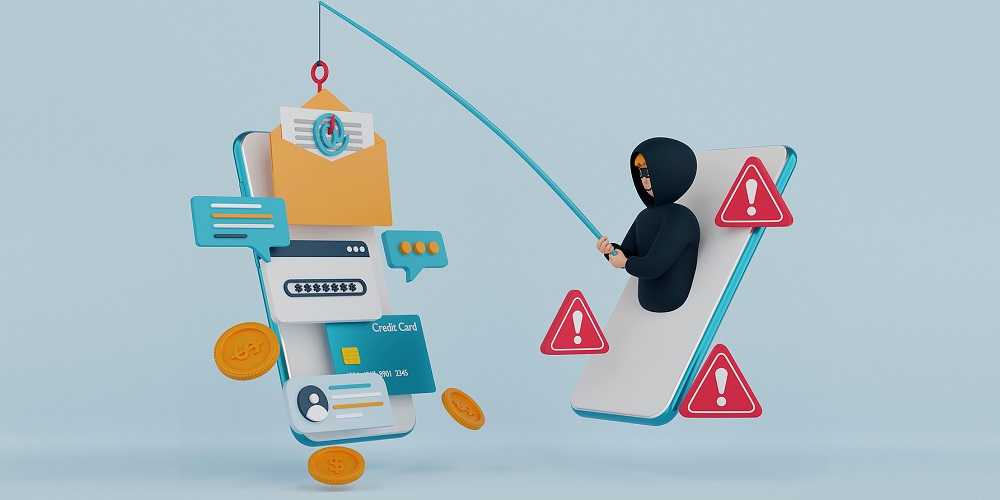
New gadgets often attract scammers who send fake delivery notices, “account alerts,” or gaming invites designed to trick you. Remind kids, too—gaming systems are a huge target for phishing attempts.

Back It Up Regularly

Backups aren’t just for businesses. After setup, back up phones, tablets, and computers routinely. External drives are inexpensive, easy to use, and can save you from losing photos, documents, and important data if something goes wrong.

Once you’ve checked all these boxes, enjoy your new tech with confidence—knowing you’ve taken the right steps to keep your digital world safe.


This Cunning Account Takeover Robbed A “Cybersmart” User’s Account

Scams & Phishing

This Cunning Account Takeover Robbed A “Cybersmart” User’s Account

While banking online, this person received a message saying her account had been compromised and provided her a phone number to call. A woman in New York learned the hard way that even those who know the tell-tale signs of a cyberattack can be fooled. She fell victim to an account takeover (ATO) of her financial accounts – to the tune of over $30,000. Know that all types of accounts are vulnerable to ATOs, and not just those that are financial. READ FULL STORY

FBI Warns Medusa is Trying to Snake Her Way Into Your Network

Your Security

FBI Warns Medusa is Trying to Snake Her Way Into Your Network

The Federal Bureau of Investigation (FBI) and the Cybersecurity and Infrastructure Security Agency (CISA) recently issued a warning about a ransomware-as-a-service variant that has been on the attack since December. The Medusa ransomware, a sophisticated cyber threat that has targeted over 300 victims across critical infrastructure sectors. These include, healthcare, education, and manufacturing. The group employs tactics such as phishing campaigns and exploiting unpatched software vulnerabilities to gain unauthorized access to systems. READ FULL STORY

Traveling Soon? Don't Overlook These Home Security Risks

Scams & Phishing

Traveling Soon? Don't Overlook These Home Security Risks

At a time when security online is so important, it’s sometimes easy to overlook security at home. There are still some “old school” risks you may be overlooking, and there’s always identity thieves hoping it stays that way. Below are some reminders to better secure your identity right where you live, especially if you’re leaving your home and taking a vacation during one of the busiest travel months of the year in the U.S. In this information age, all types of security need our consideration, including where we live. READ FULL STORY

Phishing Examples Of  The Current Top Ransomware Threats

Your Security

Phishing Examples Of The Current Top Ransomware Threats

Ransomware attacks have become increasingly prevalent and damaging in recent years and they do not discriminate. Every person, industry, or organization is fair game for cybercriminals wanting to make a buck; in most cases, many bucks. Cybercriminals are constantly on the lookout for vulnerabilities they can exploit to gain unauthorized access and deploy ransomware. Here, we highlight some of the most significant vulnerabilities leveraged by ransomware groups, their implications, and the importance of securing these weaknesses. READ FULL STORY

Badbox Brings Drive By Malware to New Level in New Version

Mobile Security

Badbox Brings Drive By Malware to New Level in New Version

There’s a new twist on an earlier version of Badbox that’s infecting Android devices with its malware. Badbox next gen has arrived and it’s infecting everything from TV streaming devices used at home and in schools and businesses, to car infotainment systems. This version of Badbox is blowing up with help from drive-by downloads and victims who have no idea they just unleashed a “Badbox bomb.” Security researchers say this new one signals a key change in tactics now focusing on traditional drive-by downloads. READ FULL STORY


Close
Fraud News & Alerts!

Keep up with the latest cyber security news through our weekly Fraud News & Alerts updates. Each week you will receive an email containing the latest cyber security news, tips and breach notifications.


You're all set!

You will receive your first official security update email within the next week.

A welcome email has also just been sent to you. If you do not receive this email within the next few minutes, please check your Junk box or spam filter to confirm our emails are not being blocked.


Help  
Enter any word or words you like.        

The email newsletter will arrive from news@stickleyonsecurity.com


Loading
Please wait...