Accessibility links
  • Skip to main content
News Icon NEWS FILTER
All News Scams & Phishing Security Education Videos Mobile Security Your Security Education Identity Theft Corporate Security
Search Icon SEARCH
 

Email Icon SUBSCRIBE TO WEEKLY NEWSLETTER
The 10 Most Common 4-Digit PINs: Is Yours One of Them?
Facebook   X   LinkedIn   Email

The 10 Most Common 4-Digit PINs: Is Yours One of Them?

October 22, 2025

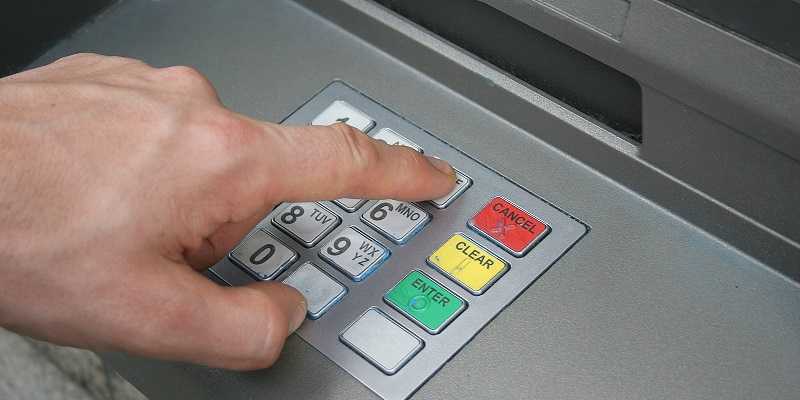
By now, it’s common knowledge that anything to do with your online security that’s easy-to-guess presents personal security risks. One of those risks involves using a 4-digit PIN code for your smartphone, additional devices, ATM accounts, and payment cards. Commonly used PINs make it easy for you to remember but they also make it easy for hackers to guess. Below are 10 of the most common 4-digit PIN codes cybercriminals try first, so take a look and see if yours is on the list.

  1. 1234
  2. 1111
  3. 0000
  4. 1342
  5. 1212
  6. 2222
  7. 4444
  8. 1122
  9. 1986
  10.  2020

Practicing Healthy PINs

Whether your PIN is on the list or you’re about to create a new one, there’s a commonsense approach similar to creating a secure password. Simple passwords risk hacked accounts, but so too do common PINs. Here are a few tips to ponder creating a healthy and secure PIN.

  • Be unpredictable. PIN numbers making straight lines and other basic patterns are also easily guessed
  • Make it random. Never create a PIN from meaningful personal or family dates, especially if they’re posted on your social media accounts (which you should avoid doing). Cyber creeps troll these sites looking for birthdates and other info translating to a 4-digit PIN
  • Change it up. Like passwords, changing PIN codes periodically can thwart a criminal who has access to your PIN by cracking it or from a data breach. Regularly changing your PIN can lock someone out who has your previous PIN—before they have a chance to use it.
  • Refuse to reuse. Reusing a PIN for more than one device or account is something you don’t want to regret later. Make each PIN unique and limit the damage a criminal can do.
  • Choose longer PINS. Whenever there’s an option to use a longer PIN, like six numbers instead of four, take it. A longer PIN can be harder to guess, much like longer passwords have added security.

Applying a commonsense approach choosing a 4-digit PIN that you would creating a strong and unique password makes a hacker’s job more difficult—and who wouldn’t want to do that?


Good Security Habits Can Go A Long Way In A New Year

Your Security

Good Security Habits Can Go A Long Way In A New Year

It’s a new year! And while everyone will face new cyber risks going forward, it makes it more important than ever for individuals to assume responsibility for safeguarding their devices and data. Threats stay the same, but they also evolve to become more dangerous and new ones pop up like the cork of a champagne bottle. Protecting yourself from all of this begins with education and heeding the advice of cybersecurity experts. While we all think we know all of this already, anyone can become a victim of cybercrime when the circumstances are right. READ FULL STORY

 Storing Passwords In Your Browser…It’s Convenient, BUT Very Risky Too

Your Security

Storing Passwords In Your Browser…It’s Convenient, BUT Very Risky Too

Most of us know that password fatigue can lead to security mishaps and that creating a safe and secure entrance into our personal or work accounts can be a real challenge. Fortunately, security experts also know that safe password use has long been a problem, one that can lead to epic malware infections like ransomware, banking trojans, and more. Popular browsers like Chrome, Firefox, Safari, and Opera offer the option to store passwords for you, but hackers using the malware “RedLine Stealer” can hijack those stored passwords in a heartbeat. READ FULL STORY

How To Create A Strong And Unique  Password For Every Account

Education

How To Create A Strong And Unique Password For Every Account

Most of us know by now not to use the same passwords for different accounts; yet some of us still do. But users who continue to use passwords they know have been exposed in a hack are truly flirting with danger. In a recent study, Google found 1.5% of passwords are still being used despite those users knowing they’ve been compromised. A security researcher discovered more than 22 million unique passwords and over 770 million email addresses were made public on a popular hacker forum earlier this year. READ FULL STORY

Is Your Phone Cloned? SIM Swaps Explained

Mobile Security

Is Your Phone Cloned? SIM Swaps Explained

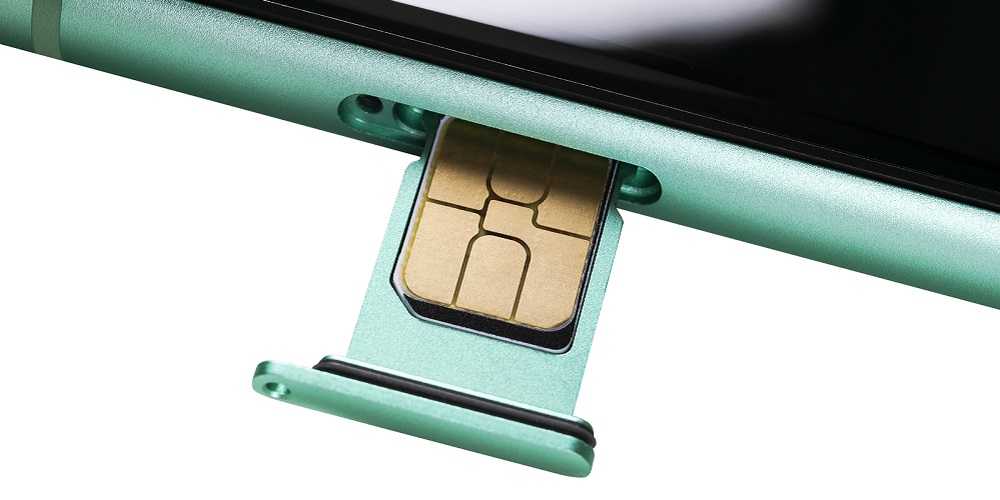
That tiny little card inserted into the side of your cellphone can lead to a heap of trouble. It’s called a SIM card and cybercriminals “SIM swap” it to clone your phone and steal your money. It’s sneaky, it’s unfair, and it’s a crime. Fraudsters start by getting your PII from the dark web. With this information, they get to work cloning your cellphone via the SIM swap. Here’s what you need to know about this all-too-common fraud costing Americans hundreds of millions in losses and how you can keep yourself from becoming one of those victims. READ FULL STORY

Carbanak Is Back! Ransomware Group Reinvents Itself

Corporate Security

Carbanak Is Back! Ransomware Group Reinvents Itself

Since the arrest of Carbanak's leader five years ago, the notorious ransomware group is back with a vengeance. The Carbanak ransomware syndicate gained notoriety as a highly effective cybercrime ring targeting financial and banking institutions worldwide. And now, the group has reinvented its method of attacks to reemerge as yet another force to be reckoned with. The group recently shifted their ransomware attacks from financial targets to posing as business software like HubSpot and Xero on compromised websites. READ FULL STORY


Close
Fraud News & Alerts!

Keep up with the latest cyber security news through our weekly Fraud News & Alerts updates. Each week you will receive an email containing the latest cyber security news, tips and breach notifications.


You're all set!

You will receive your first official security update email within the next week.

A welcome email has also just been sent to you. If you do not receive this email within the next few minutes, please check your Junk box or spam filter to confirm our emails are not being blocked.


Help  
Enter any word or words you like.        

The email newsletter will arrive from news@stickleyonsecurity.com


Loading
Please wait...